Course Details
Home> Course Details
Robowang Mastery Level 3
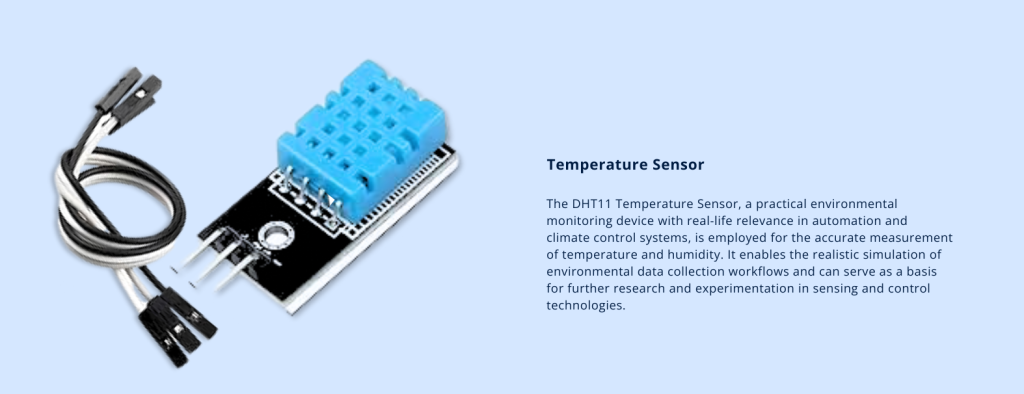
Course Overview
This course provides hands-on experience with a variety of sensors and output devices commonly used in embedded systems and Arduino projects. Students will learn fundamental principles and practical applications of modules such as IR sensors, ultrasonic sensors, raindrop sensors, joysticks, temperature sensors, LCDs, 7-segment displays, LEDs, and buzzers.
Throughout the course, learners will develop programming skills in C++ to read sensor data, process inputs, and control output devices in real time. Emphasis is placed on integrating hardware components with code to create interactive systems that respond dynamically to environmental inputs.
By the end of the course, students will have a solid understanding of sensor operation, device interfacing, and embedded programming concepts, enabling them to design and build functional prototypes for real-world applications.
Learning Outcomes
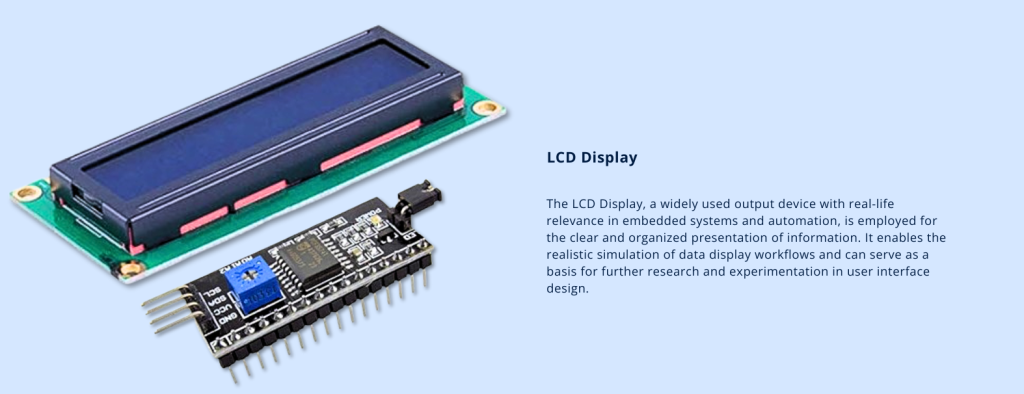
- Students will be able to display their name or any text on the LCD screen using C++ programming.
- They will learn to operate the LCD in real time, including initializing the display and sending data.
- Students will be able to read distance values from the Ultrasonic sensor and print these numeric values on an LCD screen.
- They will code in C++ to interface the Ultrasonic sensor with a 7-segment display, forming real-time connections between hardware and software.
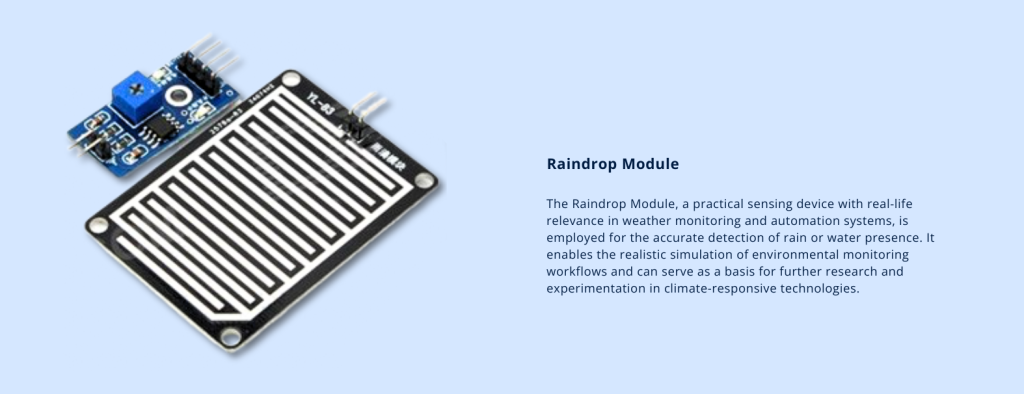
- Students will understand the practical application of the Raindrop sensor module.
- They will be able to use buzzer or LEDs to signal the presence of water or raindrops based on sensor input.
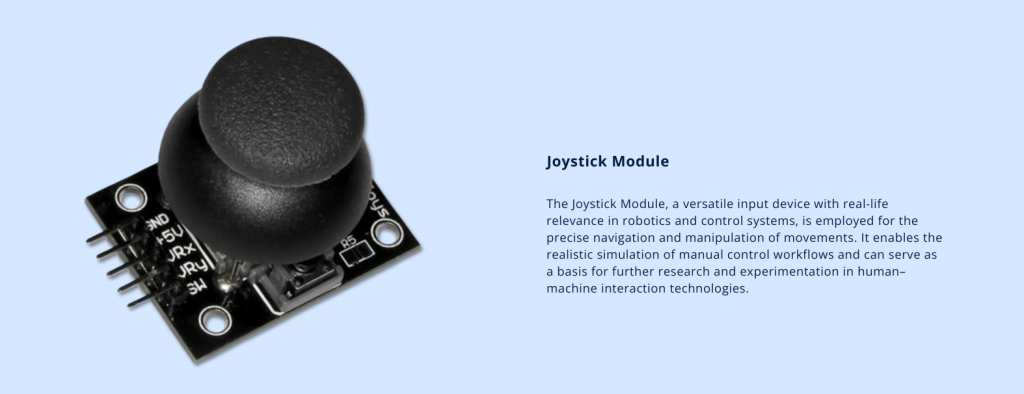
- Students will learn to operate the joystick module, understanding its analog (X and Y axis) and digital (push button) outputs.
- They will develop C++ code to control RGB LED patterns using the joystick in real time.
- Students will be able to implement an LED counter by writing appropriate Arduino code and connecting the LEDs physically.
- They will understand timing and counting principles through practical coding.
- Students will explain the working principles of common temperature sensors and how to connect them to an Arduino.
- They will write and upload code to read temperature values and process or display the data effectively.
- Students will understand how joystick inputs can be used with conditional statements (if-else or switch-case) in Arduino code.
- They will produce different buzzer sounds or patterns based on joystick direction or button press.
- Students will understand the working principle of an IR sensor for proximity or object detection.
- They will develop skills to read IR sensor data and display real-time readings on an LCD screen, integrating sensor input and output devices.
Courses
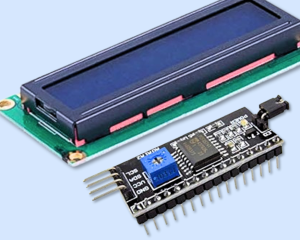
- Students will be able to display their name on the LCD screen.
- They will code in C++ and learn how to operate the LCD in real time.
- Students will be able to print numbers on the display in correspondence with the result of the Ultrasonic Sensor.
- They will code in C++ and form connections between the 7 Segment Display and Ultrasonic Sensor in real time.
- Students will be able to learn the application and practical operation of Raindrop Module with the help of buzzer or LED's.
- Students will be able to operate the Joystick and learn its practical application in real life.
- They will code and form RGB pattern using Joystick.
- Students will be able to use the LED Counter through defined coding and physical
Students will be able to explain how a temperature sensor (e.g., LM35, DHT11, or DS18B20) works and how to connect it to an Arduino board using appropriate pins and connections.
- Learners will be able to write and upload Arduino code to read temperature values from the sensor and process the data for further use or display.
- Learners will be able to describe how a joystick module works, including analog (X and Y axis) and digital (push button) outputs, and how it communicates with an Arduino.
Learners will be able to use if-else or switch-case statements in Arduino code to produce different buzzer sounds or patterns based on specific joystick directions or actions.
Understand the working principle of an IR sensor and how it detects objects or measures proximity.Sort items based on AI classification
- Develop skills to display real-time IR sensor readings on an LCD, integrating sensor input with visual output devices effectively.
- Students will be evaluated on their prior knowledge and be given some difficult tasks
- After the evaluation students will display their experience through a presentation
Meet Our Teacher

Name: Mian Ali Shafiq
Designation: Master Trainer
Experience : 10 years
Mian Ali Shafiq is a skilled Electrical Engineer with a Bachelor’s in Electronics and Communication from the University of Lahore. His expertise spans tool like MATLAB and programming in C++.Alongside his technical background, he holds a Master’s in Education Sciences from the University of Strathclyde. Glassgow and an MBA in Finance from UET. Ali has served as a Subject Head and Coordinator at Crescent Model Higher Secondary School and is currently a Master Trainer at Crescent Emerging Technologies Center (CETC), where he trains students in robotics and technology. His work combines engineering expertise with a strong commitment to education.